
Pinia 介绍

官方文档:https://pinia.web3doc.top/
What is Pinia ?
Pinia是一个状态管理工具,它和Vuex一样为Vue应用程序提供共享状态管理能力。- 语法和
Vue3一样,它实现状态管理有两种语法:选项式API与组合式 API,我们学习组合式 API`语法。 - 它也支持
Vue2也支持devtools,当然它也是类型安全的,支持TypeScript
Why should I use Pinia?
Pinia的数据流转图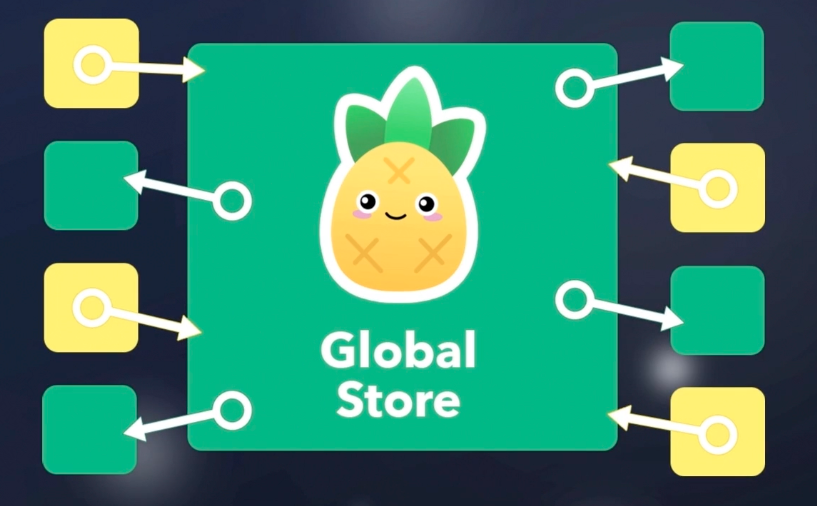
可以创建多个全局仓库,不用像
Vuex一个store嵌套多个modules,结构复杂。语法简单,不像
Vuex需要记忆太多的API。
Pinia 15 分钟上手
掌握:实用
Pinia使用,管理计数器的状态
使用步骤:
- 安装
Pinia
bash
npm i pinia- 导入,实例化,当做插件使用,和其他插件使用套路相同
js
import { createApp } from "vue";
import { createPinia } from "pinia";
import App from "./App.vue";

const app = createApp(App);

const pinia = createPinia();
app.use(pinia);

app.mount("#app");- 创建仓库&使用仓库
js
import { defineStore } from "pinia";
import { computed, ref } from "vue";

export const useCounterStore = defineStore("counter", () => {
  return {};
});js
<script setup lang="ts">
  import {useCounterStore} from "./store/counter" // store中有状态和函数 const
  store = useCounterStore()
</script>- 进行状态管理
js
const count = ref(100);

const doubleCount = computed(() => count.value * 2);

const update = () => count.value++;

const asyncUpdate = () => {
  setTimeout(() => {
    count.value++;
  }, 1000);
};
return { count, doubleCount, update, asyncUpdate };vue
<template>
  APP {{ store.count }} {{ store.doubleCount }}
  <button @click="store.update()">count++</button>
  <button @click="store.asyncUpdate()">async update</button>
</template>总结:
通过 const useXxxStore = defineStore('id',函数) 创建仓库得到使用仓库的函数
| Vuex | Pinia |
|---|---|
| state | ref 和 reactive 创建的响应式数据 |
| getters | computed 创建的计算属性 |
| mutations 和 actions | 普通函数,同步异步均可 |
使用Pinia与在组件中维护数据大体相同,这就是 Pinia 的状态管理基本使用
storeToRefs 的使用
掌握:使用
storeToRefs解决 解构仓库状态丢失响应式的问题
问题:
- 当我们想解构
store提供的数据时候,发现数据是没有响应式的。
回忆:
- 在学习
vue组合式API创建的响应式数据的时候,使用toRefs保持解构后数据的响应式
方案:
- 使用
storeToRefs解决解构仓库状态丢失响应式的问题
js
import { storeToRefs } from "pinia";

const store = useCounterStore();
const { count, doubleCount } = storeToRefs(store);小结:
当你想从 store 中解构对应的状态使用,需要使用 storeToRefs